Agentic engineering
platform.
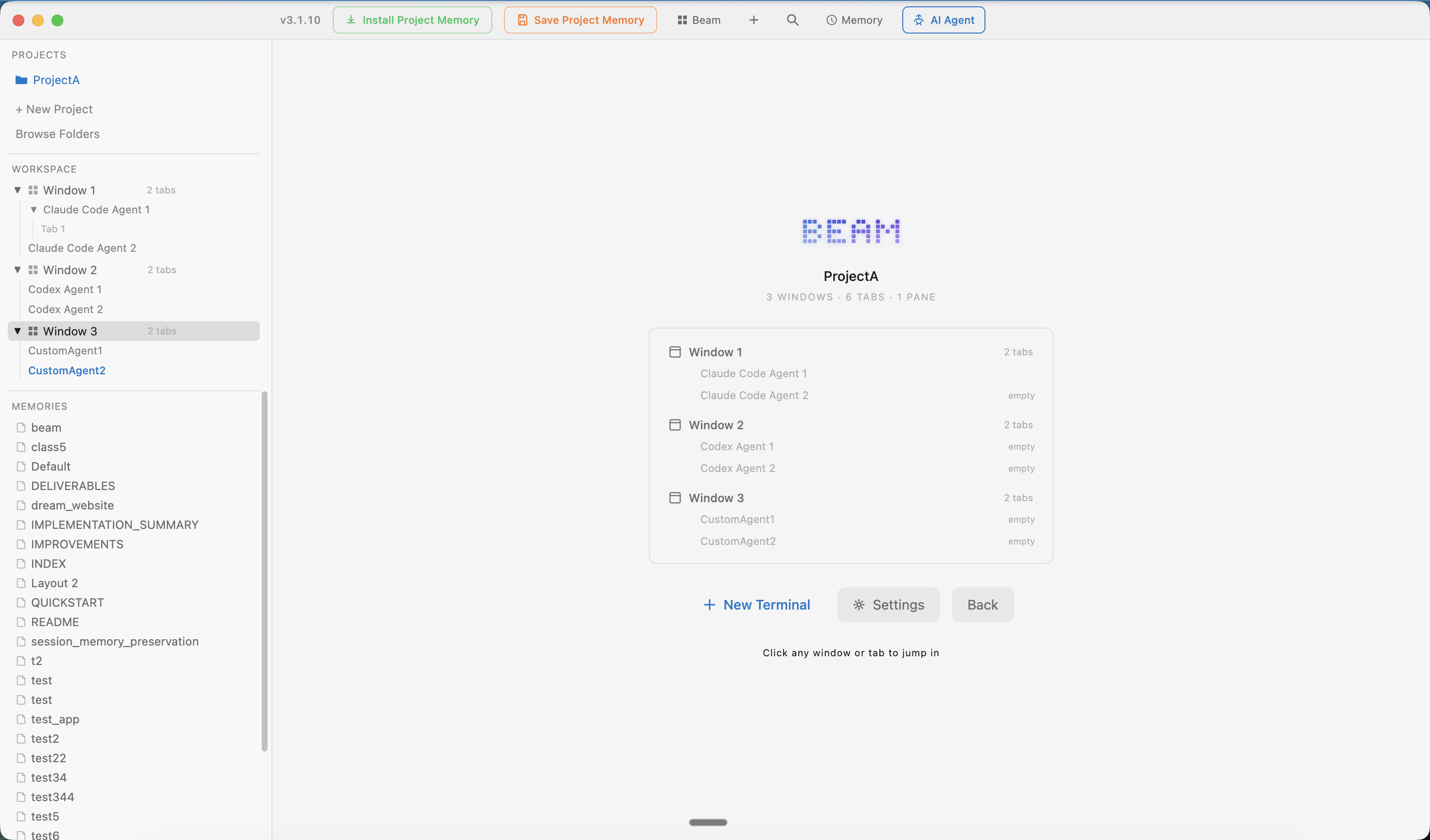
Claude Code for architecture. Gemini for research. Codex for tests. Each AI has strengths — Beam lets you run them side by side, each with its own task, with shared memory across every session. You could set this up yourself. But it's already built.
Every agent has strengths.
Run them together.
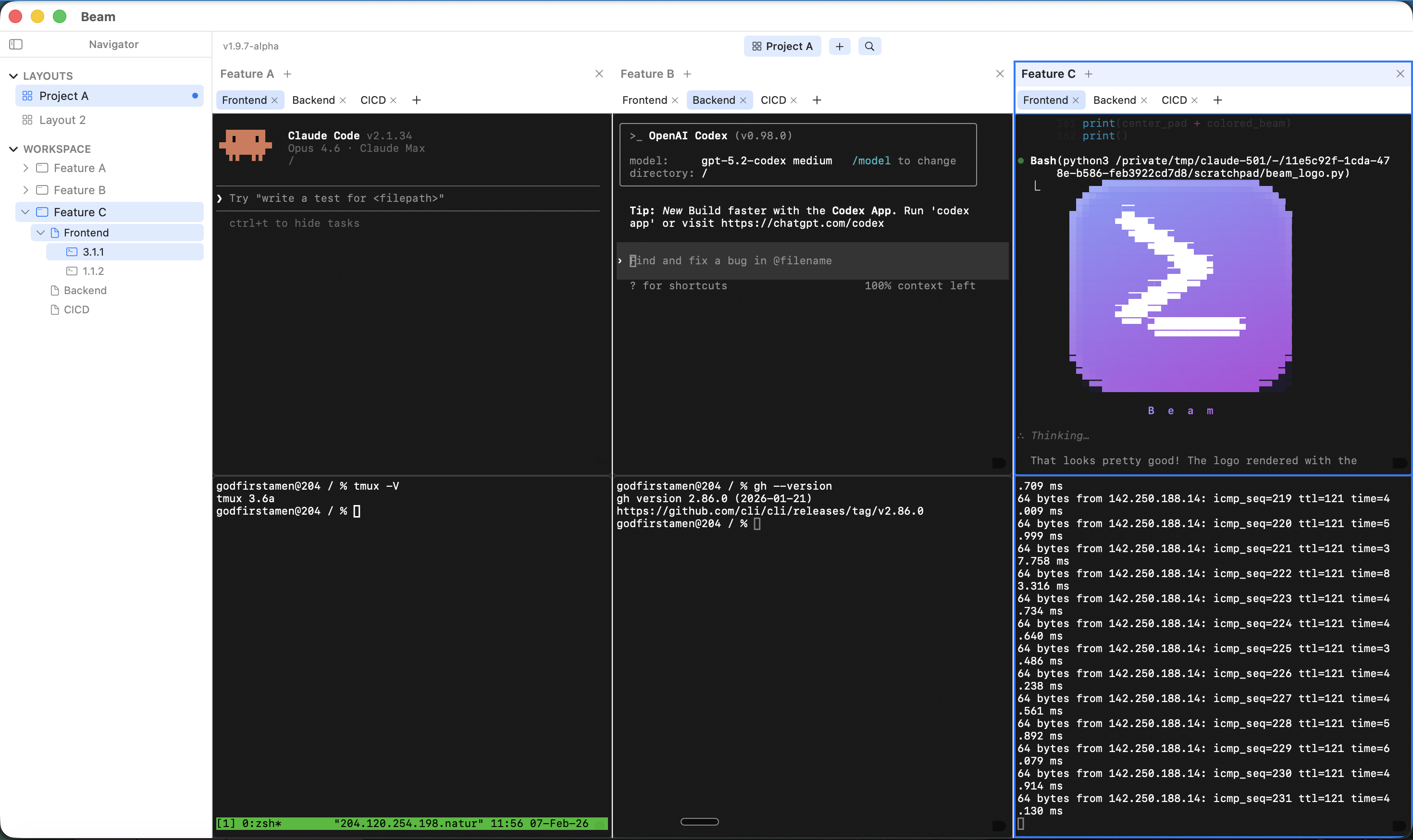
Claude Code is great at architecture. Gemini is fast at research. Codex nails test generation. Stop using one agent for everything — give each a focused task and let them work in parallel.
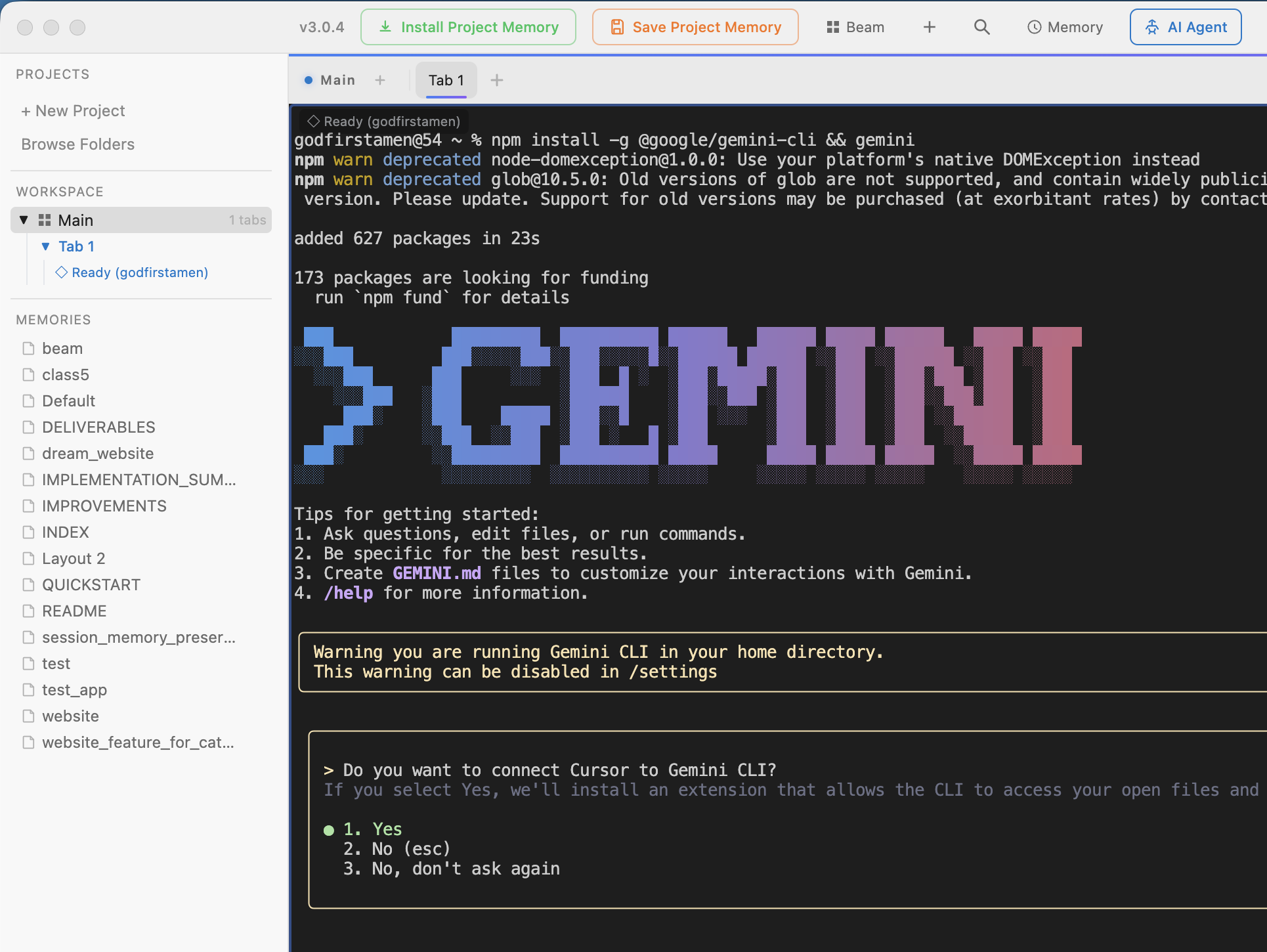
Three agents, three tasks, one shared project memory — all running simultaneously
Unified & Persistent Memory.
Every AI agent remembers your projects, preferences, and context — across every session.
"I don't have context on your project architecture..."
~/YourProject.md loaded. I'm up to speed on the project context.
Click "Install Project Memory"
One click in the toolbar sends a prompt to your active agent telling it to read the project memory file at ~/ProjectName.md
Full context, instantly
The agent reads your architecture, conventions, key files, and past decisions. No copy-paste, no manual setup — just click and go.
Automatic context loadingSave as you work
Click "Save Project Memory" to tell the agent to update the memory file. The next session starts even smarter.
Toolbar → Save Project Memory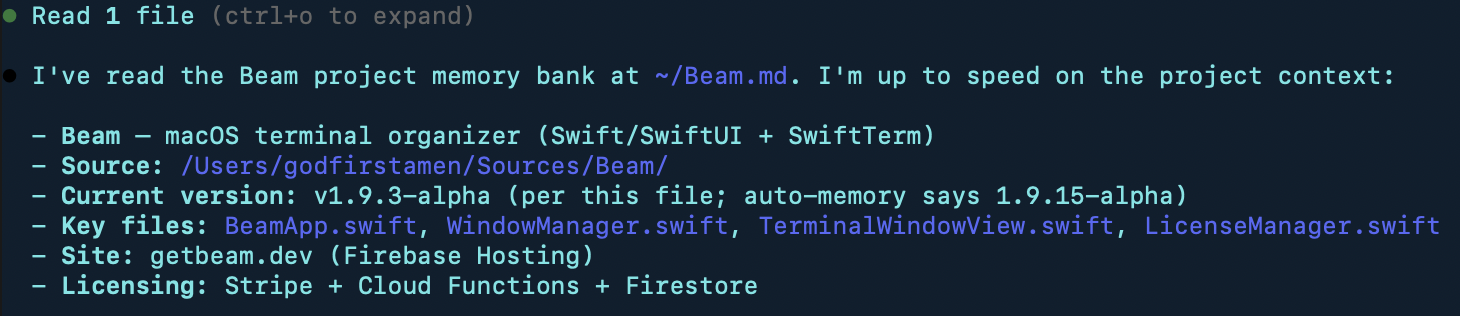
Agent reads project memory on startup
Architecture, conventions, build commands — all loaded automatically.
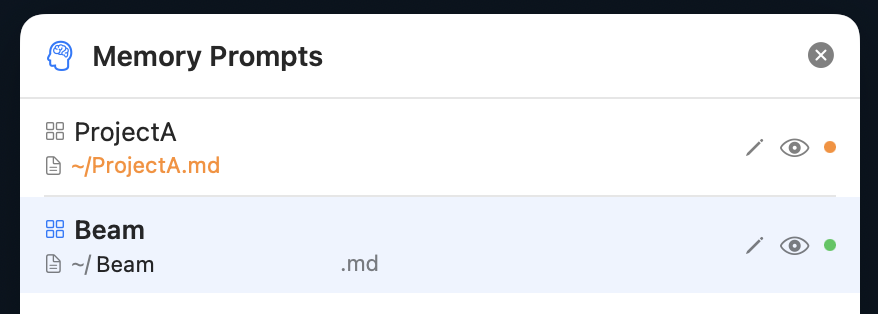
Memory Manager
View and edit memory files for all projects.
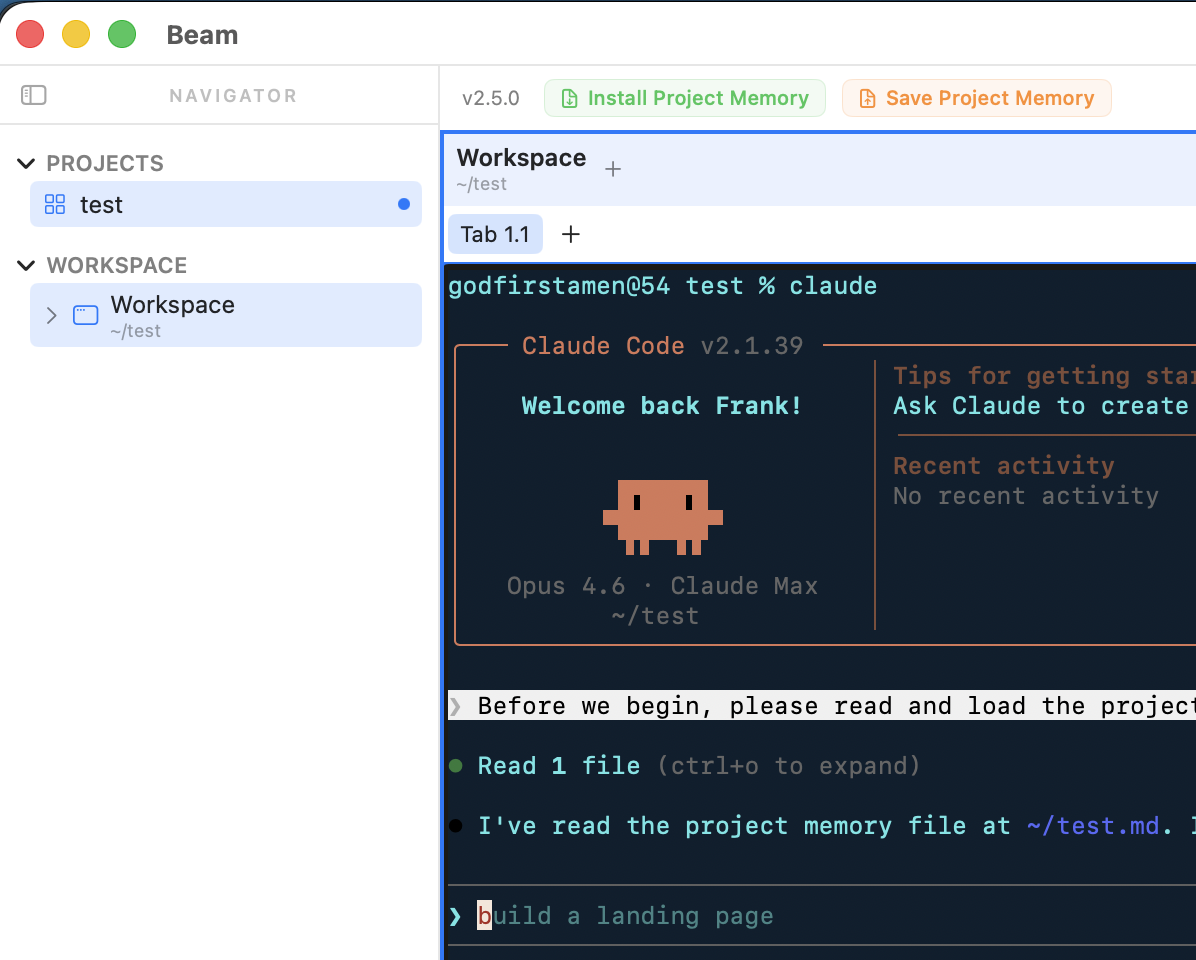
Memory loaded, ready to build
Claude reads your project context on startup — then you just start building.
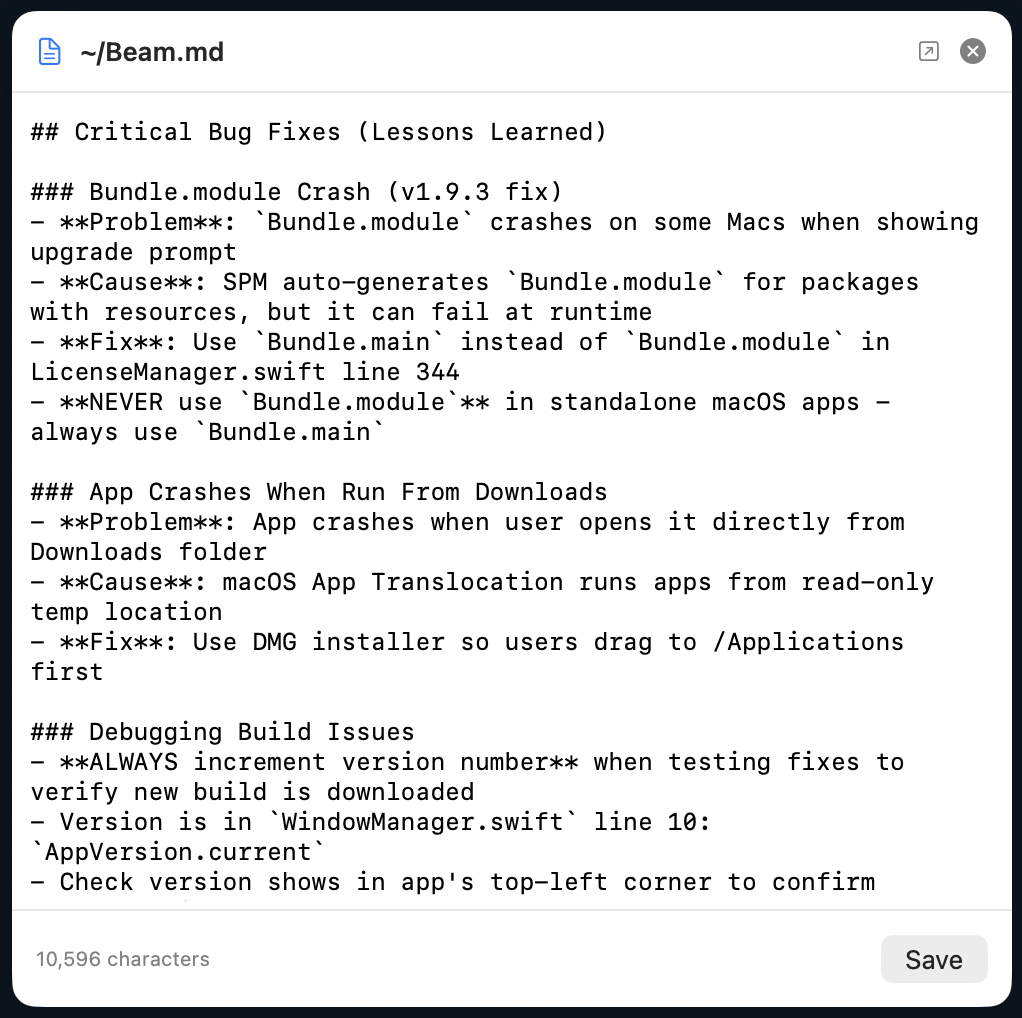
Edit memory inline
View and edit the raw memory file directly in Beam.
Per-project memory.
Plain Markdown. On disk.
Beam stores memory as plain Markdown on your filesystem. Claude Code, Codex, and OpenClaw all read and write the same file. Switch agents mid-project without losing context.
Switch agents freely
Start with Claude Code, finish with Codex. The memory file carries all context forward regardless of which agent you use.
Just a file on disk
No cloud sync, no proprietary format, no vendor lock-in. It's a Markdown file in your home directory that you own and control.
Stable & portable
Works offline. Survives app updates. Copy it to a new machine, share it with teammates, or version it in git.
Works seamlessly with
“I could just use tmux.”
You absolutely could. You know your way around iTerm2, tmux panes, shell scripts. But here's what you'd be building yourself:
You could stitch all of this together with tmux configs, shell scripts, and a weekend of yak-shaving. Or you could download Beam and start building in 30 seconds.
How developers use Beam
Level up your terminal workflow with these guides.
AI Agent Memory Management: Persistent Context for Every Session
AI agents forget everything between sessions. Beam v3.1.11 gives every agent persistent project memory — architecture, conventions, and decisions loaded automatically on startup.
Claude Code Hooks: 15 Automations to Set Up
Auto-format, block dangerous commands, git snapshots, and 12 more hook automations.
Devin vs Claude Code vs Codex
Which AI coding agent actually ships? SWE-bench scores, pricing, and workflows compared.
Karpathy’s Phase Change
Why AI coding agents “started working” in late 2025 and the discipline that emerged.
9 Parallel Subagents for Code Review
Security, performance, style, tests, and 5 more reviewers running simultaneously.
CLAUDE.md Masterclass
The 200-line rule, imperative voice, and memory hierarchy that actually works.
Cut Agent Token Costs by 65%
Prompt caching, model routing, and context compression for production fleets.
The Bloomberg Productivity Panic
What AI agents mean for salaries, careers, and the orchestrator path.
Lost-in-the-Middle: Why Agents Forget
The U-shaped accuracy curve and how to keep agents sharp mid-session.
I Used tmux for 10 Years. Here’s Why I Switched.
tmux is great — until you’re running 5 AI agents with persistent memory.
Claude vs Gemini vs Codex: When to Use Each
A practitioner’s guide to picking the right AI agent for every task.
Multi-Agent Orchestration for Solo Developers
A practical guide to decomposing tasks across multiple AI agents.
The Persistent Memory Pattern
How to make AI agents remember everything across sessions.
The Vibe Coding Honeymoon Is Over
Six months in, the cracks are showing. Here’s what comes next.
Vibe Coding Security: 2.74x More Vulns
The 10-point checklist to ship AI-generated code safely.
Linus Torvalds Was Right
“Horrible for maintenance” — then he used it himself.
Lovable: $0 to $300M ARR in 12 Months
What the fastest-growing vibe coding tool tells us about the market.
Beam on Windows: Agentic Engineering
Set up Beam on Windows for multi-agent AI coding workflows.
Vibe Coding on Windows 2026
The complete vibe coding stack for Windows developers.
Terminal > IDE on Windows
Why your terminal matters more than VS Code for agentic engineering.
Beam on Linux: AI Workflow
Set up Beam on Ubuntu, Fedora, Arch for AI-powered development.
From Vibe Coding to Agentic Engineering
Karpathy declared vibe coding passé. Agentic engineering is the new paradigm.
Xcode 26.3 Agentic Coding
Apple added Claude Agent and Codex directly into Xcode.
GPT-5.3 Codex vs Claude Code
Both released same day. Speed, context, pricing compared.
Complete Guide to MCP Servers 2026
Google, Apple, and 50+ integrations. The universal AI standard.
Anthropic's Agentic Coding Trends
8 shifts reshaping how software gets built in 2026.
Claude Code vs Cursor vs OpenCode
Terminal vs IDE vs open-source. The definitive comparison.
Multi-Agent Coding Orchestration
Agent Teams and patterns for multi-agent coordination.
Are AI Coding Tools Getting Worse?
The HN/Reddit backlash explained. What's really happening.
Setting Up Beam for Claude Code
Workspaces for each project, saved layouts for instant restoration, and keyboard shortcuts for maximum productivity.
Organizing Claude Code Sessions
One workspace per project. Frontend Claude Code in one place, backend in another. Save and restore instantly.
Interoperable Memory Across AI Agents
One Markdown file. Every agent reads and writes it. Switch between Claude Code, Codex, and OpenClaw without losing context.
Agentic Coding Workflow Setup
Step-by-step guide to setting up agentic workflows.
The Perfect Vibe Coding Setup
Stay in the zone. Split panes for dev server + AI agent. Quick switcher means you never break flow.
How to Rename Terminal Windows on macOS
Double-click to rename. Give terminals meaningful names like "API Server" or "Frontend Dev."
Voice-Controlled Coding with Wispr Flow
Speak your intent, let Claude write the code, keep everything organized in separate workspaces.
How to Install OpenClaw
Complete guide: installation, setup, and managing multiple OpenClaw sessions across accounts.
How to Use OpenAI Codex on Mac
Install Codex CLI, configure it, and use Beam to organize multiple sessions side by side.
Best Terminal App for AI Coding in 2026
Terminal.app, iTerm2, Warp, Ghostty, tmux, and Beam compared for AI-powered development.
Claude Code vs Cursor vs Codex
Strengths, weaknesses, pricing, and ideal workflows — pick the best tool or use all three.
Organize OpenAI Codex CLI Sessions
Workspaces, tabs, and saved layouts to keep your Codex CLI workflow clean across projects.
Claude Code + Codex Together
Run both AI agents on one project with shared memory and organized workspaces.
Manage Multiple Claude Code Sessions
Handle 5+ Claude Code sessions across 3+ projects without losing track.
Build a Website with Claude Code
Step-by-step tutorial: describe your site, watch Claude build it, deploy in 30 minutes.
Claude Code for API Development
Build REST APIs faster: endpoint design, route generation, testing, and deployment with AI.
Switch from Cursor to Claude Code
What you gain, what changes, and how Beam replaces Cursor's IDE organization.
Vibe Coding Mac Setup 2026
The complete stack: Beam + Claude Code + Wispr Flow + your editor. 15-minute setup.
Claude Code with Docker
Organize AI agents alongside containers, compose, and logs in labeled tabs.
Claude Code Shortcuts Cheat Sheet
Every keyboard shortcut and power-user tip for Claude Code + Beam in one place.
Debug with Claude Code
Stack traces, runtime errors, logic bugs — the practical AI debugging workflow.
AI Coding for Solo Developers
Ship like a team of three. The complete workflow for indie hackers using AI agents.
The CLAUDE.md Guide
Give AI agents persistent project memory. What to put in CLAUDE.md and why it matters.
Claude Code for React Development
Generate components, write hooks, refactor state management, and test — all with AI.
Claude Code for Python & Data Science
Generate scripts, analyze data, build pipelines, and manage experiments with AI.
Refactor Legacy Code with Claude Code
Break apart monoliths, modernize patterns, add types, and improve test coverage safely.
Write Tests with Claude Code
Unit, integration, and E2E tests that cover edge cases. Go from 0% to 80% coverage fast.
Code Review with Claude Code
Catch bugs, spot anti-patterns, and review PRs — whether solo or on a team.
Claude Code vs GitHub Copilot
Autocomplete vs agentic coding. An honest comparison for 2026.
Beam vs Warp
Session organization, AI features, pricing — which terminal for AI coding?
AI Pair Programming Best Practices
10 practices that separate 2x developers from 10x developers using AI agents.
Claude Code for Next.js
Server Components, App Router, server actions, Prisma, and deployment with AI.
Migrate to TypeScript with Claude Code
File-by-file conversion, type inference, and strict mode — without breaking your app.
Claude Code + Git Workflows
Merge conflicts, rebasing, commit messages, branch management, and PR workflows.
Automate Tasks with Claude Code
Scripts, CLI tools, data pipelines, and cron jobs — automate the tedious work.
Write Documentation with Claude Code
READMEs, API docs, architecture guides, and changelogs — let AI write the first draft.
Claude Code for Open Source
Understand unfamiliar codebases, fix bugs, and submit quality PRs — faster.
Claude Code for DevOps & CI/CD
GitHub Actions, Dockerfiles, Terraform, Kubernetes — generate configs with AI.
Complete Guide to Beam Workspaces
Everything about workspaces, tabs, panes, layouts, and keyboard shortcuts.
How to Use Claude Code Agent Teams
Run parallel Claude Code agents that coordinate autonomously on complex tasks.
Set Up Claude Code in Xcode 26
Apple's Xcode 26.3 integrates the Claude Agent SDK. Here's the setup guide.
Agentic Engineering: Beyond Vibe Coding
Karpathy's new paradigm: orchestrating AI agents instead of prompting them.
Claude Opus 4.6: What's New for Devs
Agent teams, 1M context, 128K output, adaptive thinking — everything that changed.
Best AI Coding Tool 2026: The Comparison
Claude Code vs Cursor vs Copilot — pricing, features, benchmarks compared.
Should You Learn to Code in 2026?
41% of code is AI-generated. Here's why learning still matters more than ever.
Multi-Agent AI Coding Workflows
Parallel, pipeline, and specialist patterns for orchestrating AI agents.
Claude Code 2.1 Features
Agent Teams, 1M context, and 16 features you missed.
Claude Code for Go Development
The complete Go workflow: structs, interfaces, table-driven tests, concurrency, and microservices — all in Beam.
Build a CLI Tool with Go & Claude Code
Scaffold a cobra CLI, add commands, cross-compile, and distribute via Homebrew — all with AI assistance.
Go Microservices in Beam: 5 Services, One Screen
One workspace per service. Quick Switcher to jump between them. The sanity-saving microservices workflow.
Go Testing with Claude Code: The Deep Dive
Table-driven tests, benchmarks, fuzz testing, race detection, and coverage — the complete Go testing workflow.
Claude Code for Rust Development
Cargo workflows, ownership patterns, async Rust, CLI tools, and testing — the complete Rust workflow in Beam.
Kubernetes Terminal Workflow in Beam
Organize kubectl, helm, and terraform across dev, staging, and prod clusters. Never run commands in the wrong context again.
Neovim + Claude Code + Beam Workflow
The terminal-native AI development setup. Keyboard-first coding for developers who live in the terminal.
Common questions
I was helping a friend get up and running with Claude Code. She had a lot of questions and didn't know what the terminal was or how to use it. After that conversation, I decided to make a tool to help anyone easily use Claude Code, and other agents. That's how Beam was born. I use it every day myself.
The Beam Team
Built by indie developers who use AI agents every day
From the spark of an idea to shipping something real — Beam is where it all comes together.
Start with an idea
Open a new project, name it, and let your imagination set the direction. Beam gives every idea a home from day one.
Build it for real
Launch Claude Code, Codex, or OpenClaw in one click. Your agents remember everything. Split panes, tabs, full power.
Watch it take off
Every project saved, every session remembered. Come back tomorrow and pick up exactly where you left off.
Click anywhere or press Esc to close