Interoperable Memory Persistent Across Varieties of AI Agents
You use Claude Code for complex refactors. OpenAI Codex for quick edits. Maybe OpenClaw for experimentation. Each agent has its strengths, but they all share the same fatal flaw: none of them remember what the others did.
Every time you switch agents, you start from zero. The architecture your Claude Code session documented? Gone when Codex starts. The conventions Codex established? Invisible to OpenClaw. You end up as the human bridge between agents that can't talk to each other.
Beam v2.5.0 fixes this with interoperable memory: a single Markdown file on disk that every agent reads and writes.
The Fragmentation Problem
Today's AI coding agents each have their own approach to memory:
- Claude Code uses
CLAUDE.mdfiles and a.claude/directory for project-specific memory - OpenAI Codex relies on the conversation context window, no persistent memory between sessions
- OpenClaw has no built-in memory system at all
Even within agents that do support memory, the format is proprietary. Claude Code's memory files aren't designed for Codex to read. There's no standard, no interoperability, and no way to share context across agents.
This means if you use multiple agents, which most serious developers do, you're maintaining separate mental models for each one. Or worse, you're re-explaining your project architecture every single session.
Beam's Approach: One File, Any Agent
Beam takes a radically simple approach: store project memory as a plain Markdown file at ~/ProjectName.md.
That's it. No database. No cloud sync. No proprietary format. Just a .md file in your home directory.
When you start any AI agent from Beam, click Install Project Memory in the toolbar. Beam sends the memory prompt directly to your active agent. The prompt tells the agent:
Before starting, read and reference the memory bank at
~/ProjectName.md for project context, conventions, and
decisions. Update this file as you make significant changes
or learn new information about the project.
Because every agent can read files and write to disk, this works universally. Claude Code reads the file. Codex reads the file. OpenClaw reads the file. They all write back to the same file.
How It Works in Practice
Day 1: Start with Claude Code
You create a new project called "MyApp" in Beam. Start Claude Code from the toolbar. Click Install Project Memory to send the memory prompt.
Claude Code reads ~/MyApp.md (which is empty or has a template). As you work, Claude documents your architecture, tech stack, key files, build commands, and design decisions in the file.
At the end of the session, ~/MyApp.md might contain:
# MyApp

## Architecture
- Next.js 15 with App Router
- PostgreSQL via Prisma ORM
- Tailwind CSS for styling

## Key Files
- src/app/layout.tsx - Root layout
- src/lib/db.ts - Database connection
- prisma/schema.prisma - Data model

## Conventions
- Use server components by default
- API routes in src/app/api/
- Environment variables in .env.local

## Decisions
- Chose Prisma over Drizzle for type safety
- Using shadcn/ui component library
Day 2: Switch to OpenAI Codex
Next day, you want to use Codex for some quick API work. Start Codex from the toolbar. Click Install Project Memory to send the memory prompt.
Codex reads ~/MyApp.md and immediately knows your tech stack, file structure, and conventions, all context that Claude Code wrote yesterday. No re-explanation needed.
Codex adds a new API endpoint, and updates the memory file with what it built:
## API Endpoints
- POST /api/users - Create user (added Feb 10)
- GET /api/users/:id - Get user by ID (added Feb 10)
Day 3: Back to Claude Code
When you return to Claude Code, it reads the updated ~/MyApp.md and sees everything, including the API endpoints that Codex created. Full continuity. Zero effort.
Why Plain Markdown?
We chose Markdown deliberately. Here's why:
Universal readability
Every AI agent can read and write Markdown. It's the lingua franca of LLMs. No special parsing needed.
Human-editable
You can open ~/ProjectName.md in any text editor and read it, modify it, or add notes. It's not a binary blob or a database, it's a file you own.
Git-friendly
Want to version your project memory? git add ~/MyApp.md. Want to share it with your team? Push it to the repo. Markdown diffs are clean and readable.
Offline & stable
No internet connection needed. No API calls. No server downtime. The file is on your disk and available instantly, every time.
Compared to Other Approaches
| Approach | Cross-Agent | Persistent | Editable | Offline |
|---|---|---|---|---|
| Claude CLAUDE.md | No | Yes | Yes | Yes |
| Codex context window | No | No | No | N/A |
| Custom system prompts | Manual | Sort of | Yes | Yes |
| Beam memory file | Yes | Yes | Yes | Yes |
The key differentiator is cross-agent interoperability. No other approach gives you a single source of truth that every agent can use. Beam's memory files are the first system designed for a multi-agent workflow.
Managing Memory in Beam
Beam doesn't just create the files, it gives you tools to manage them:
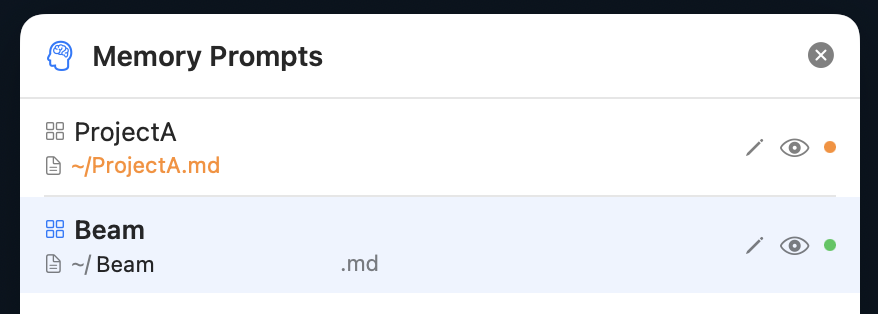
- Memory Manager (toolbar button) shows all projects and their memory files
- Custom file names: use different memory files for different contexts within the same project
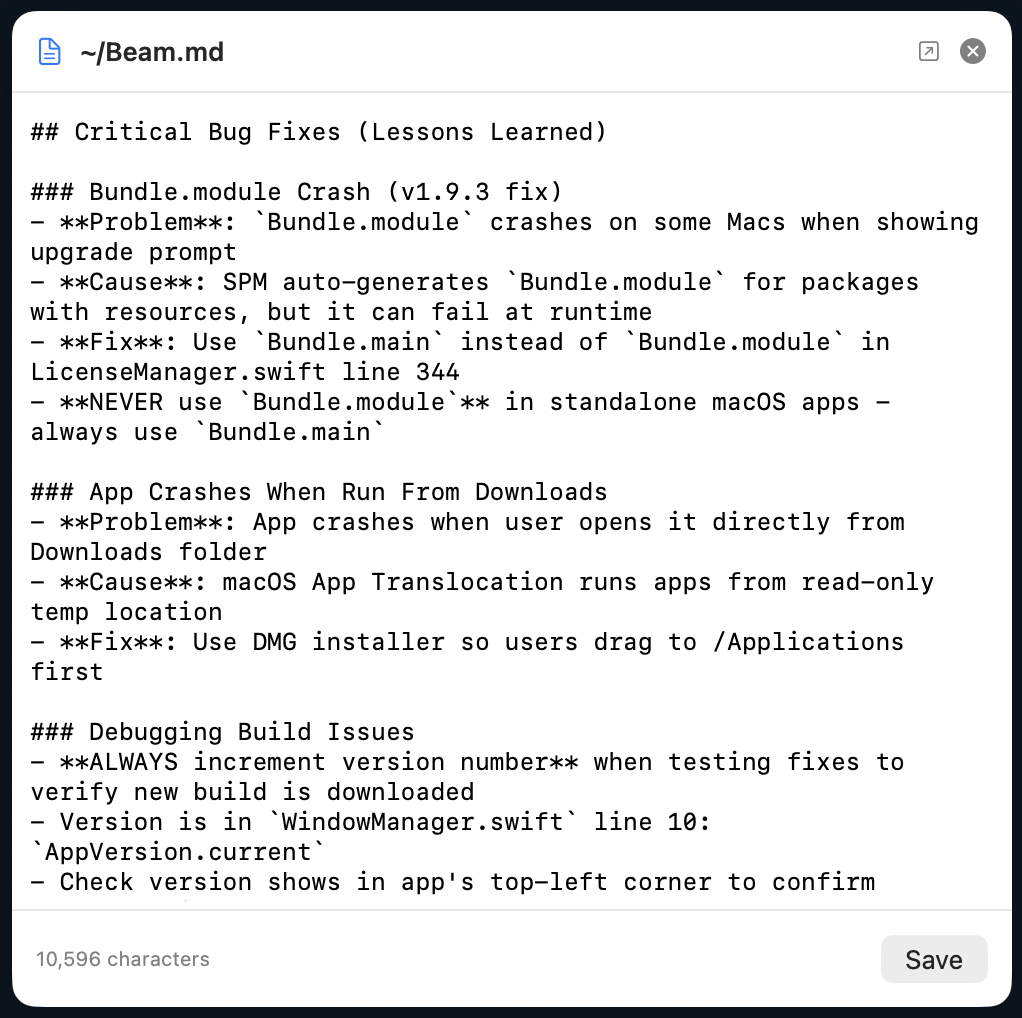
- Inline editor: view and edit the raw memory content directly in Beam, no need to open a separate editor
- Status indicators: green dot means the file exists and has content, orange means it will be created on first use
The Future: Memory as Infrastructure
We think about memory as infrastructure, not a feature. Just like your filesystem, your git history, and your environment variables, project memory should be a stable, persistent layer that all tools can access.
Today, Beam provides this for AI coding agents. But the same pattern applies to any tool that needs project context: linters, build systems, documentation generators, CI/CD pipelines. A plain Markdown file on disk is the most interoperable, stable, and future-proof way to store it.
AI agents are getting more capable every month. New agents launch every week. The one constant is that they all need project context, and the simplest way to give it to them is a file they can all read.
One file. Every agent. That's interoperable memory.
Unify Your AI Agent Memory
Download Beam v2.5.0 and give every AI agent the same persistent project context. Works with Claude Code, Codex, OpenClaw, and more.
Download Beam Free